



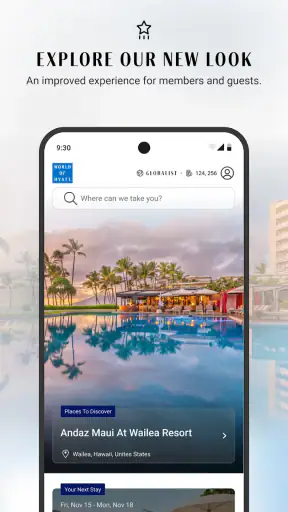
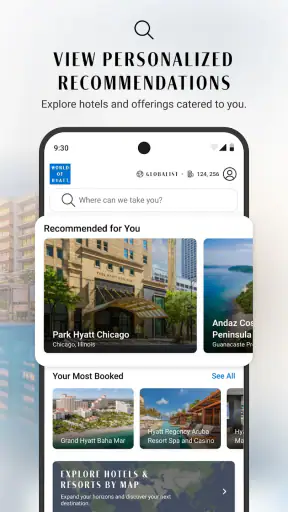
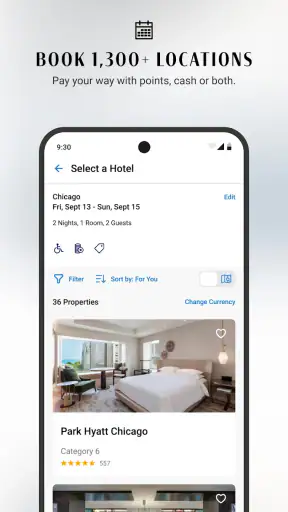
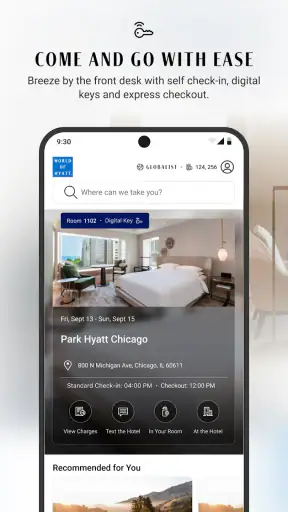

When I need to turn a hotel idea into an actual reservation, I prefer an app that keeps the journey focused instead of making me jump between a search engine, a loyalty account, and a separate booking page. World of Hyatt: Book Hotels is Hyatt Corporation’s free Travel & Local app for doing exactly that: finding Hyatt stays, booking them, and keeping the World of Hyatt side of the trip close at hand. I tested it with the mindset of a traveler who starts with a rough plan rather than a perfectly organized itinerary, and I found it most useful when I already knew that a Hyatt property was likely to suit the trip.
The app has been around since 2012, and its current version is 26.8.0 for devices running iOS 10 or later. Its Everyone age rating makes it approachable for ordinary household travel planning. With more than a million installs, an average rating of 4.8 from roughly forty-nine thousand ratings, and about nineteen hundred written reviews, it clearly has a large base of people using it for hotel searches and reservations. Those numbers do not replace personal testing, though. The important question is whether the app makes the complete process easier than using a mobile browser or a broad hotel marketplace.
From a vague trip idea to a confirmed Hyatt stay
Starting with the real travel problem
My starting condition was familiar: I had a destination and an approximate trip window, but I had not yet decided which Hyatt property made sense. That distinction matters. This is not a general-purpose hotel comparison tool covering every chain and independent property. It is a direct channel for the Hyatt ecosystem, so the app makes the most sense when your shortlist already includes Hyatt hotels or when earning and managing World of Hyatt activity is part of your decision.
I began by treating the search as a planning exercise rather than immediately chasing the lowest visible rate. A hotel can look attractive until the location, room type, cancellation terms, or loyalty implications change the overall value. The app is convenient for putting those details together in one place, but I still recommend deciding what matters most before tapping through results. For a work trip, proximity and a predictable room may matter more than a resort-style feature. For a family stay, room configuration and arrival timing can outweigh a small difference in nightly cost.
That is the first useful habit I developed with the app: use it after defining your non-negotiables. If you simply browse without a plan, a polished property page can encourage you to choose based on attractive imagery or a familiar name rather than practical fit. The app helps with the transaction, but it does not make the personal travel decision for you.
Searching without losing the purpose of the trip
The basic flow is straightforward. I enter the destination, set the dates, and identify the number of guests before reviewing the available Hyatt options. The value here is not novelty; it is reduced friction. I am looking at one hotel group’s inventory through its own booking environment, rather than filtering through a broad marketplace and then wondering whether the displayed offer will transfer cleanly to the chain’s loyalty account.
Once results appear, I slow down and compare the properties by location and suitability, not just by headline price. A useful workflow is to open the most promising property, check the room choices, then return to the results and compare it with a second option. That prevents the common mistake of treating the first acceptable hotel as the final answer. On a phone, this small pause is especially helpful because it keeps the search from becoming a series of impulsive taps.
Another practical tip is to search again when your dates are flexible. Even shifting the trip by a day can change which room categories appear or whether a preferred property fits the plan. I would not assume that the first search reflects every possible option if the itinerary can move. This is not a special trick unique to Hyatt; it is simply a better way to use a hotel-booking app when availability is date-sensitive.
Moving from property choice to room choice
The handoff from search results to the hotel page is where I expect to find enough context to make a responsible booking. I check the property identity first, then the available room types and the conditions attached to each choice. This is the point where a fast booking can become an expensive correction if I select the wrong dates, guest count, or room category.
I also treat the rate details as part of the product, not as fine print to skim after pressing the final button. A lower-looking option may not suit a traveler who needs flexibility, while a more convenient option may be worth considering when plans are uncertain. The app’s direct connection to Hyatt is helpful here because the reservation journey stays within the same brand environment, but the responsibility to read the selected rate remains with me.
For a realistic example, imagine leaving for a two-night business trip after a late meeting on the first evening. I would search near the work location, compare the arrival practicality of nearby hotels, select a room that matches the stay rather than automatically choosing the cheapest category, and then review the reservation details before confirming. In that situation, the app is valuable because it shortens the path from “I need a room near this place” to a Hyatt booking that I can revisit. The best outcome comes from using the app as a checklist, not as a one-tap shortcut.
Using the World of Hyatt connection thoughtfully
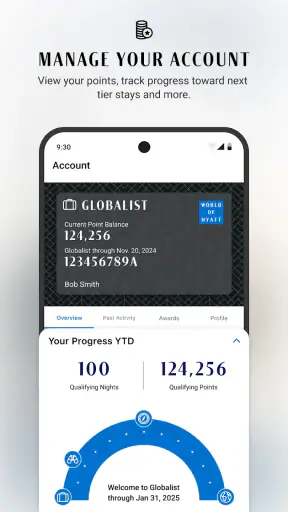
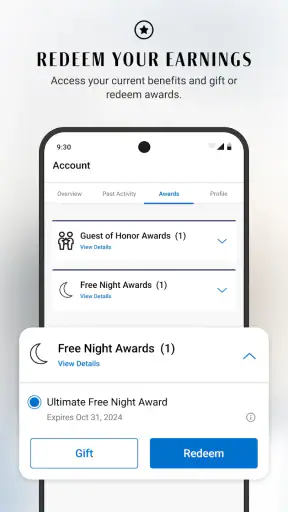
The loyalty element is one of the clearest reasons to use the official app instead of a generic booking marketplace. The World of Hyatt identity is built into the experience, and the store describes the app as a way to book and earn hotels worldwide. For a traveler who regularly chooses Hyatt, keeping reservations and loyalty activity connected can be more useful than booking through a third party and then trying to reconcile the stay afterward.
My advice is to sign in before completing a reservation if earning and account continuity matter to you. That makes the booking workflow more deliberate: search first, compare the property and room, then make sure the reservation is being made in the account context you intend to use. The handoff between “I found a hotel” and “this stay belongs to my travel history” is easy to overlook when booking quickly, especially on a small screen.
This is also where the app is less compelling for occasional travelers who have no interest in Hyatt loyalty. They can still use it as a direct booking tool, but the account-centered advantage becomes less important. A broad hotel app may be better for someone who wants to compare Hyatt with unrelated chains, independent hotels, vacation rentals, or different booking models in one search.
Checking the reservation before the trip
After booking, I see the app less as a search box and more as a reference point for the stay. The practical outcome is not merely receiving a confirmation; it is being able to return to the reservation when I need to verify the property, dates, room choice, or other booking details. That is particularly useful when a trip has several moving parts and I do not want to search through email or a browser history.
I recommend reviewing the reservation soon after making it, while the decision is still fresh. I check the arrival and departure dates, guest information, selected room, and rate conditions. This simple review catches the mistakes that happen when a traveler books from a train, during a lunch break, or while switching between multiple trip tabs. An official app is most helpful when it becomes the place I expect to consult later, not only the place where I made the original purchase.
There is a subtle trade-off here. A dedicated hotel app can feel cleaner than a general travel dashboard because it has fewer unrelated booking types competing for attention. At the same time, that narrow focus means I may need another tool for flights, rail tickets, rental cars, maps, or independent accommodation. The app improves the hotel handoff, but it does not replace an entire travel organizer.
Where the workflow is genuinely strong
The strongest part of the experience is the continuity between discovery and direct booking. I can begin with a destination, inspect Hyatt options, choose a room, and keep the reservation tied to the same hotel group and loyalty environment. That is a better fit than a marketplace when I already trust Hyatt’s properties or want the direct relationship with the chain.
It is also useful for repeat travelers. Once I know the type of Hyatt stay I want, the app reduces the mental overhead of starting from scratch. I do not need to explain the entire hotel preference to a travel site every time; I can focus on destination, dates, and the property decision. This makes the app feel more valuable over time than it does during a single isolated booking.
Another non-obvious strength is that it encourages a cleaner separation between comparison and confirmation. I can use a general travel search to understand the wider market, then move into the Hyatt app when I am ready to examine a Hyatt property and book directly. In other words, the app does not have to be the only tool in the trip. It works well as the final, brand-specific stage of a broader research process.
Where the flow breaks down
The main limitation is scope. If my priority is finding the cheapest acceptable room across every hotel company, the Hyatt app is not the right first stop. Its focused inventory can be an advantage for loyal Hyatt guests, but it is a disadvantage for travelers who are genuinely brand-neutral. A general hotel marketplace provides a wider comparison in a single search, even if that broader view comes with more clutter.
The second friction point is decision-making on a phone. Hotel choices involve several details, and a compact screen makes it easier to miss a date, misunderstand a room label, or rush past a rate condition. I would rather spend an extra minute checking the reservation than assume the app’s smooth flow means my selection is automatically correct. The interface can make booking feel easy; the trip itself still depends on careful reading.
There is also a practical reason not to rely on one app alone: travel plans can involve properties outside Hyatt. If a group is splitting a trip between different chains, or if a destination has limited Hyatt availability, a broader service may be more efficient for the initial search. I would then use the Hyatt app for the Hyatt portion, rather than forcing the entire itinerary into a tool designed around one hotel family.
For users on older devices, the operating-system requirement is worth checking before planning around the app. It supports iOS 10 and later, which covers many devices, but anyone using an older phone should confirm compatibility before departure. I also prefer to keep the reservation details available in a way I can access if connectivity becomes inconvenient, rather than assuming I will always be able to search again at the hotel.
Who should use it and who should skip it
I would recommend this free app to frequent Hyatt guests, people who want to book directly with Hyatt, and travelers who value keeping their hotel reservations connected to World of Hyatt. It is especially sensible when the destination has several Hyatt choices and I want to compare them inside the brand’s own booking path. The high user rating and large install base support its credibility, but my recommendation is based more on the workflow: it keeps the hotel search, booking, and loyalty context together.
I would be more cautious recommending it to a traveler whose only goal is the lowest price anywhere. That person should begin with a broad comparison service, then decide whether the Hyatt option still wins after considering location, room, and booking conditions. I would also point families or groups toward a careful room review before confirmation, because the convenience of a direct app does not remove the need to verify occupancy and room suitability.
For a one-off trip, the app is useful but not essential. For repeated Hyatt stays, it becomes much easier to justify keeping it installed. The difference is not that the app suddenly gains new value; it is that the saved familiarity with the Hyatt booking flow reduces effort each time I plan another stay.
My final take after following the full journey
World of Hyatt: Book Hotels succeeds when the starting condition is clear: I want a Hyatt hotel, I know roughly where and when I am traveling, and I prefer a direct route into the World of Hyatt ecosystem. From there, the path is logical—search, compare properties, inspect rooms and rates, confirm the reservation, and return to the booking details when the trip approaches.
It is not a universal travel planner, and I would not use it as my only comparison tool for a destination where every hotel brand is in play. Its narrower focus is both its best feature and its biggest limitation. Hyatt regulars get a focused experience that avoids unnecessary marketplace noise, while brand-neutral travelers may find the inventory too restricted.
My practical recommendation is to use it in two stages: research the wider destination when you need a market-wide view, then move to the Hyatt app for the final property check and direct reservation. Before confirming, verify the dates, guests, room, and rate conditions; after confirming, revisit the booking so the details are fresh. Used that way, World of Hyatt: Book Hotels is a dependable companion for Hyatt-centered trips, with the clearest benefit appearing not in a flashy feature but in the handoff from hotel choice to an organized, loyalty-connected booking.


